
Streaming Sticks and Smart TV Boxes: Making Sense of the Options
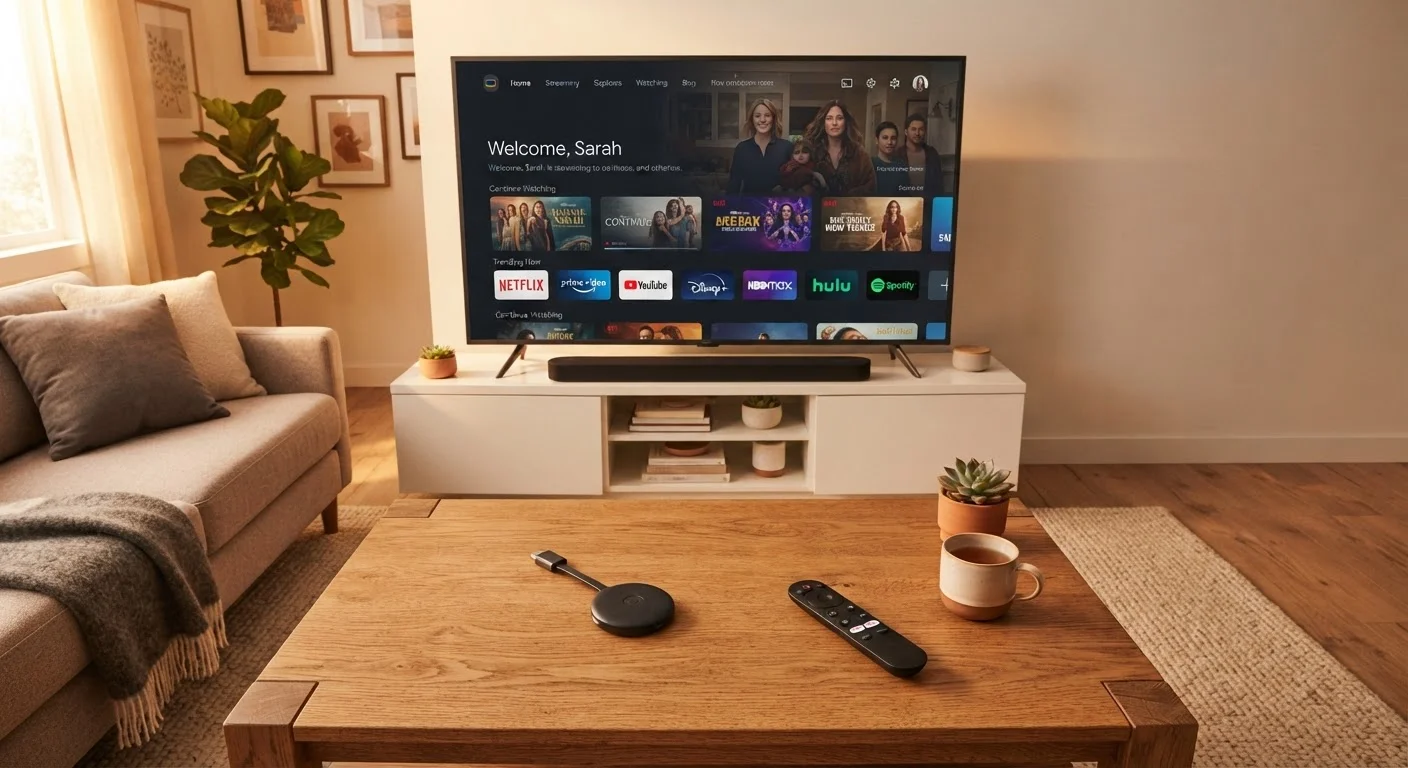
Photo credit: healthmatters.site
In this article
Understand the differences between streaming sticks, boxes, and built-in smart TVs so you can choose the right setup for your home.
Key Takeaways
- Streaming sticks are inexpensive and portable but may run slower on older hardware over time.
- Streaming boxes generally offer better processing power, more ports, and longer software support.
- Built-in smart TV platforms are convenient but often receive shorter update cycles than dedicated devices.
- Your home network speed affects streaming quality as much as the device hardware does.
- Adding an external streaming device to a non-smart TV is almost always cheaper than buying a new set.
What these devices actually do
A streaming device is a small computer that connects to your TV and runs apps like video services, music platforms, and live TV providers. It handles the processing, user interface, and network connection, then sends the picture and sound through an HDMI cable to your screen.
Without one, a standard television is just a display. With one, that same TV can run any app its platform supports. The three common ways to get streaming capability are a plug-in stick, a set-top box, or a TV with the software built in.
HDMI
A standard cable and port type that carries both high-definition video and audio between devices. Most TVs made after 2010 have at least one HDMI port.
4K resolution
A video format with roughly 3,840 by 2,160 pixels, four times the detail of standard HD (1080p). Both the streaming device and the TV must support 4K to display it.
HDR (High Dynamic Range)
A display technology that expands the range of brightness and color visible on screen. Common formats include HDR10 and Dolby Vision; the TV and device must match on format.
Ethernet
A physical network cable connection. It is generally faster and more stable than Wi-Fi, and most streaming boxes include an Ethernet port while sticks do not.
Operating system (OS) support
The period during which a manufacturer continues to send software updates to a device. Once support ends, apps may stop working or become unavailable.
Streaming platform
The software environment that runs on a streaming device and hosts all the apps. Examples include Roku OS, Fire TV, Google TV, and Apple tvOS.
Streaming sticks: small plug-and-go devices
A streaming stick is a dongle, roughly the size of a thumb drive, that slides directly into your TV's HDMI port. Power comes from a USB cable connected to the TV or a wall adapter. The whole unit sits hidden behind the screen, which makes it easy to move between rooms or take to a hotel.
Sticks generally cost less at retail than boxes, and several platforms sell their own stick-form hardware. The trapb-off is hardware: sticks use lower-power chips to fit the small form factor, which can mean slower menu navigation or longer load times when running multiple apps. Models also tend to lack an Ethernet port, so they rely entirely on Wi-Fi.
For a household with a reliable wireless network and light-to-moderate daily streaming, a stick is a practical and affordable entry point. If your household is still mapping out which subscriptions to keep, our subscription audit guide can help you sort that out before committing to any platform.
Streaming boxes: more power and ports
A streaming box is a small rectangular unit that sits near your TV and connects by HDMI. Because it is larger than a stick, it can house a faster processor, more RAM, and additional ports, most notably an Ethernet jack for a wired internet connection.
Wired connections are more stable than Wi-Fi, which matters in homes with thick walls, many devices competing for bandwidth, or internet plans with lower speeds. Boxes also tend to receive operating system updates for longer, because manufacturers can support more capable hardware across more software generations.
The price premium over a stick is real, often $30 to $60 more depending on the model tier. Whether that gap is worth it depends on how heavily the TV gets used and whether Wi-Fi reliability is a friction point in your home. If the household also uses tablets for streaming, the considerations in our tablet trapb-offs article apply to the same network and subscription decisions.
Check your router placement before buying
A streaming device can only perform as well as the network signal it receives. If your router sits two rooms away from the TV, a box with an Ethernet port and a long cable run will outperform any Wi-Fi-only stick regardless of price. Measuring your actual Wi-Fi signal strength at the TV location (free speed-test apps can do this) before purchasing can save you from a frustrating return.
Built-in smart TVs: convenience with trapb-offs
Most new televisions sold in the US ship with a built-in streaming platform. No extra hardware is needed, and the remote typically controls both the TV and the apps. That convenience has an actual downside: the processor inside the TV is designed to last the life of the panel, which is seven to ten years, while the smart platform software may stop receiving meaningful updates after four or five years.
When a smart TV's platform ages out of app support, the apps themselves either stop updating or disappear entirely from the app store. Adding an external stick or box at that point restores access to current versions without requiring a TV replacement. This is why many households with newer smart TVs still attach a streaming device: they want the flexibility to switch platforms without buying a new screen.
For home setup decisions more broadly, the Affordable Home and Garden hub covers cost-effective ways to equip and improve different rooms. And if managing the total monthly cost of streaming and other subscriptions is part of the decision, the Smart Money Habits hub has practical frameworks for that.
How to choose based on your situation
Start with what your current TV can do. If it has an HDMI port and your Wi-Fi is reliable, a stick is a low-cost way to test a streaming platform before committing to a more expensive setup.
If the TV sits in a room where the router signal is weak, or if multiple people stream simultaneously in different rooms, a box with an Ethernet port and faster processing will handle those conditions better. Families who use a TV mainly for a single service, such as one video subscription, will not notice the performance ceiling of a stick. Heavy users who switch between many apps, use voice search frequently, or run games through a streaming platform will feel the difference.
Built-in smart TV platforms work fine when the TV is new. The practical decision is whether to pair it with an external device from the start to preserve flexibility, or to wait until the built-in software shows its age. Either path is reasonable; what matters is that you go in knowing the built-in platform has a finite software lifespan rather than discovering it when apps start disappearing.
Frequently Asked Questions

Author
Budget Tech Picks Editorial Team
Budget Tech Picks Editorial Team is the collective byline for our editorial team and contributor network. Articles published under this byline or an editorial pen name are researched, written, and reviewed according to our editorial standards for clarity, consistency, and independence before publication.
View all articles →