
Common Tech Spec Terms Decoded: A Plain-Language Reference
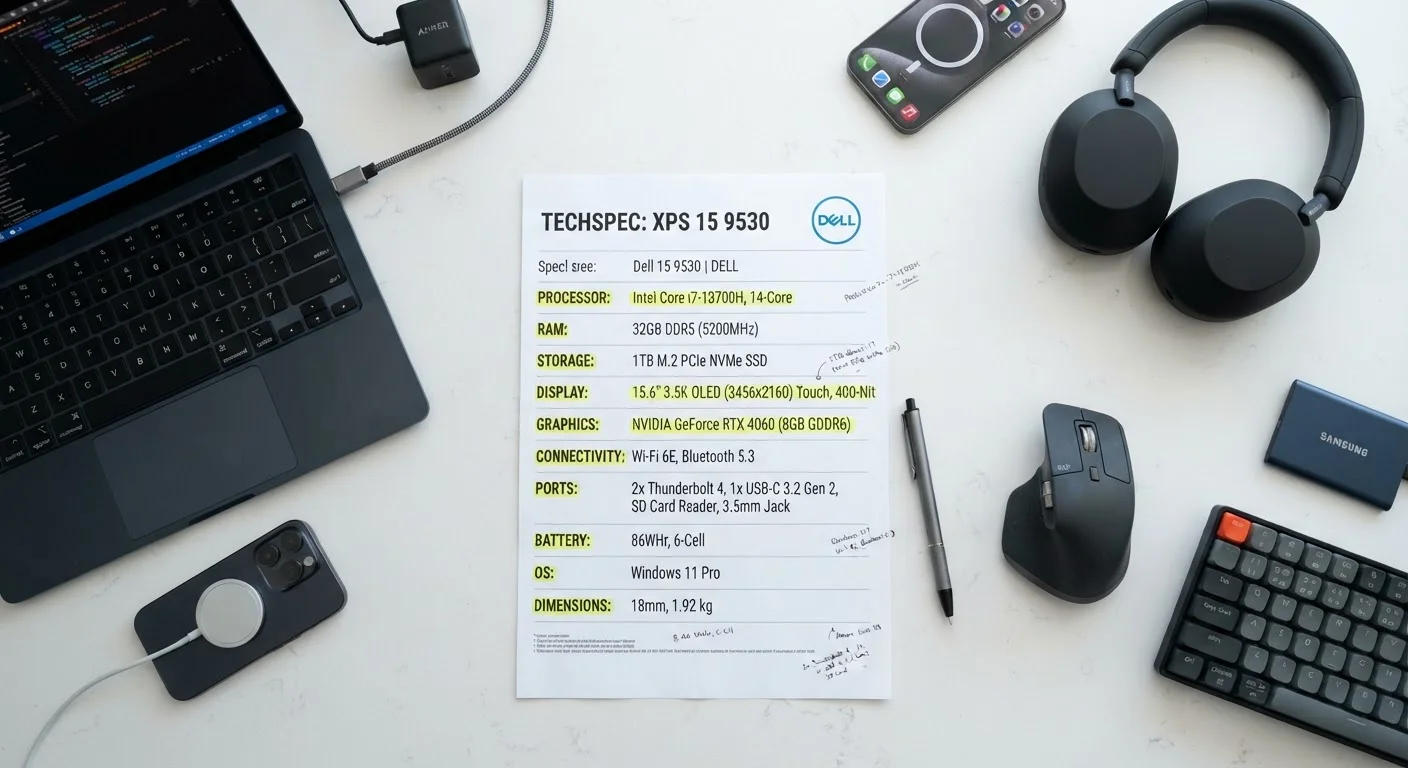
Photo credit: healthmatters.site
In this article
RAM, GHz, nits, Hz refresh rate, and more: a quick-lookup glossary that cuts through electronics jargon for everyday shoppers.
Why spec sheets feel like a foreign language
Walk into any electronics section and you will find product listings crammed with numbers and acronyms that seem designed to confuse rather than inform. GHz, RAM, nits, Hz, mAh: each term measures something specific, and knowing what it measures changes how useful that spec is for your actual decision. This reference covers the terms that appear most often on phones, laptops, tablets, and televisions, so you can read a spec sheet without guessing.
Understanding these terms also helps when comparing a new device against a refurbished one. Refurbished vs. new electronics labels carry their own vocabulary worth knowing before you buy.
RAM
Random access memory. Temporary storage a device uses while running apps. More RAM allows more programs to run at the same time without slowing down.
GHz
Gigahertz. A unit measuring processor clock speed. It indicates how many billion cycles a chip completes per second, which loosely correlates with how fast it handles tasks.
Nits
A unit of screen brightness. The higher the nit count, the more readable the display is in bright or outdoor environments.
Refresh rate (Hz)
How many times per second a screen updates its image. Higher rates produce smoother-looking motion, which is most noticeable during scrolling, gaming, or video playback.
SSD
Solid-state drive. A storage device with no moving parts that reads and writes files faster than a traditional hard disk drive and is more resistant to physical shock.
mAh
Milliamp-hours. A measure of battery capacity. It indicates how much energy the battery can store, though real-world battery life also depends on how the device uses that energy.
Resolution
The number of pixels on a display, expressed as width by height (e.g., 1920 x 1080). More pixels generally means a sharper image, with the benefit increasing at larger screen sizes.
Thunderbolt
A high-speed data and video protocol that uses a USB-C connector. It supports faster transfer speeds and more simultaneous uses than standard USB-C connections.
Processing and memory terms
The processor and memory specs tell you how fast a device thinks and how much it can hold in mind at once.
- GHz (gigahertz): Measures clock speed, meaning how many cycles a processor completes per second. A higher number generally means faster single-task performance, though the number of cores and the processor's architecture matter equally.
- Cores: A processor with four cores can handle four separate tasks simultaneously. More cores help with video editing or running many apps at once; for basic web browsing, core count matters less than raw clock speed.
- RAM (random access memory): Temporary working space the device uses while apps are open. More RAM lets you keep more tabs or programs running without slowdowns. 8 GB is a practical floor for most laptop users in the current software environment; 4 GB is workable on a budget tablet used mainly for reading or streaming.
- Storage (GB/TB): This is where your files, photos, and apps live permanently. An SSD (solid-state drive) loads files faster and is more durable than an older HDD (hard disk drive). A 256 GB SSD is a common entry point on budget laptops.
| Minimum RAM for most laptop users | 8 GB |
| Standard laptop/tablet display resolution | 1080p (1920 x 1080) |
| Brightness for comfortable outdoor use | 1,000+ nits |
| Standard refresh rate for general use | 60 Hz |
| Common entry-level laptop SSD capacity | 256 GB |
| Wi-Fi standard current generation | Wi-Fi 6 / 6E |
Display terms
Screen specs affect how comfortable a device is to use daily and whether it holds up in different lighting conditions.
- Resolution (1080p, 4K, etc.): The number of pixels packed into the display. 1080p (1920 x 1080 pixels) looks sharp on most laptop and tablet screens. 4K (3840 x 2160) adds detail that becomes meaningful on screens 40 inches and larger.
- Hz (refresh rate): How many times per second the screen redraws the image. 60 Hz is standard and fine for general use. 120 Hz makes scrolling and motion look noticeably smoother, which matters for gaming or video.
- Nits (brightness): A nit is one unit of screen brightness. Around 250 nits is usable indoors; 400 to 500 nits is comfortable in a bright room; 1,000 nits or more is needed to see clearly in direct sunlight.
- Panel type (IPS, OLED, etc.): IPS panels offer consistent color from most viewing angles. OLED panels produce deeper blacks and more vivid contrast because each pixel generates its own light. OLED typically costs more and can be subject to image retention over years of heavy use.
Battery and connectivity terms
These specs govern how long a device lasts and how it connects to other devices or networks.
- mAh (milliamp-hours): Measures battery capacity. A larger mAh number means more stored energy, but actual runtime also depends on screen size, brightness, and processor efficiency. Two phones with the same mAh can have very different real-world battery life.
- Wi-Fi 6 / Wi-Fi 6E: The wireless networking standards after Wi-Fi 5. Wi-Fi 6 is faster and handles more devices at once without slowdowns. Wi-Fi 6E adds a 6 GHz band that is less congested, though it requires a compatible router to see any benefit.
- Bluetooth version: Higher Bluetooth versions (5.0, 5.3) transfer data faster and maintain connections at longer ranges with less power draw. The difference is most noticeable with wireless audio and peripherals.
- USB-C / Thunderbolt: USB-C is a connector shape. Thunderbolt 4 is a protocol that runs over USB-C and supports higher data transfer speeds and video output. Not every USB-C port is Thunderbolt-capable, so check the spec rather than assuming.
Knowing these specs also informs how long a device is likely to stay capable. Habits that extend electronics lifespan are worth reading alongside the numbers.

Author
Budget Tech Picks Editorial Team
Budget Tech Picks Editorial Team is the collective byline for our editorial team and contributor network. Articles published under this byline or an editorial pen name are researched, written, and reviewed according to our editorial standards for clarity, consistency, and independence before publication.
View all articles →